
Run your entire IME operation in one system.
From the referral landing in your queue to the report and invoice leaving your office — intake, examiner assignment, claimant scheduling, service provider bookings, report review, and billing all live on the same case.
The coordination cost is the business
Most IME companies don't lose money on the assessment — they lose it on the twelve touchpoints around the assessment.
Re-typing every referral
Claim number, claimant details, injury history, and instructions arrive in an email and get keyed into a spreadsheet — twice, if the referrer sends a correction.
Finding an examiner who'll take it
Which specialists are in that city, who has capacity this month, who already declined — and none of it written down anywhere durable.
Scheduling by telephone
Coordinators between claimants and examiners, plus separate calls to arrange transport or an interpreter, for every single case.
Chasing overdue reports
No shared due date. The first sign a report is late is usually the referrer asking about it.
Answering "where's my case?"
Referrers have no visibility, so they call. Each call is a coordinator digging through email to reconstruct a timeline.
Rebuilding invoices monthly
Rates per referrer, per assessment type, reconciled against a spreadsheet of what actually happened.
One case record, from intake to invoice
Each step below happens in the platform, by the person who should be doing it — not relayed through your coordinators.
The referral is captured once
Referrers with portal access submit structured referrals themselves — claimant details, claim type, injury information, and documents attached. Your IME admin can also enter referrals manually for anything that still arrives by phone, fax, or email.
Review the referral and create a case
New referrals land in a review queue. Accept one and create a case from it; decline with a reason and the referrer sees that immediately. The case inherits every field and document — no re-keying.
Assign from your examiner roster
Filter your roster by specialty, location, and capacity, then assign the case. The examiner accepts or declines in their own portal, with a reason recorded on the file.
Scheduling link, then slot selection
The examiner sends the claimant a scheduling link. The claimant selects time slots from the examiner's availability — no coordinator phone calls.
Add service providers and confirm the appointment
Your IME admin books transport, interpretation, or other vendors against the case. Once providers are in place and a slot is confirmed, the appointment date is set for everyone on the file.
Report submitted to your team
After the examination the examiner completes the report using your templates, or uploads a finished PDF, and sends it to your IME admin for review — not straight to the referrer.
Review or decline before delivery
Submitted reports go through your internal QA step. Verify and approve, or decline back to the examiner with notes for amendment.
Report delivered by email or portal
The approved report goes to the referrer by email, or appears in their referrer portal if they have access. Invoices are raised from your rate card alongside delivery.
Every module your operation already needs
Referral intake
Portal submissions and manual entry, with document upload, a review queue, decline reasons, and a message thread per referral.
Case management
One record per assessment carrying the referral, examiner, appointment, provider bookings, report, and invoices, with clear lifecycle status.
Examiner network
Invite examiners onto your roster, capture specialty and capacity, track accept and decline rates, and see each examiner's caseload.
Scheduling & appointments
Claimant self-scheduling, examiner availability collection, calendar and list views, plus reschedule and cancellation handling.
Reports
Your own report templates, an internal review and verification step, amendment requests, PDF viewing in-browser, and secure delivery.
Billing & invoicing
Rate cards by assessment type, invoices raised against cases, and referrer-visible invoice history.
Referrer & provider portals
Invite insurers, law firms, and vendors into scoped portals with approval control over who gets access.
Team, roles & permissions
Build custom roles from granular permissions across referrals, cases, examiners, reports, billing, and team management.
Dashboard & analytics
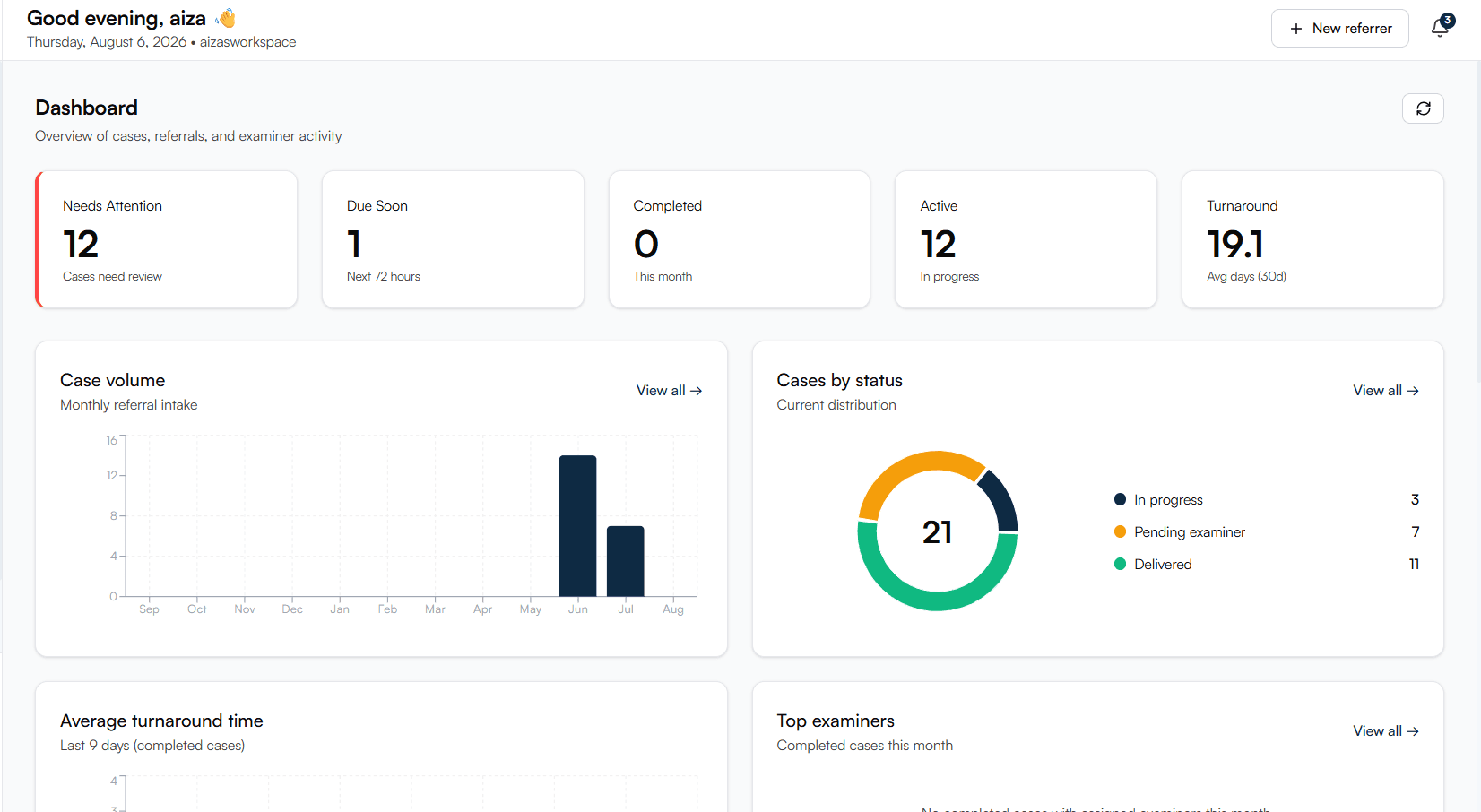
Volume, throughput, and outstanding-work metrics, plus examiner performance — so you can see the bottleneck instead of guessing.
Three things that change how the work feels
Everyone on the same case
Referrers, examiners, claimants, and service providers all act inside the platform. Status changes propagate instead of being relayed, which is what actually removes the phone calls.
Claimants book their own exams
The single biggest source of coordinator time is scheduling. Handing that to the claimant — against real availability — collapses days of phone tag into one link.
Your data stays yours
Your operational data lives in its own database keyed to your tenant — not as filtered rows in a shared table alongside your competitors.
What IME operators ask us first
How much work is migration?
You don't have to migrate history to start. Most operations run new referrals through Assessco while existing cases finish in the old process, then switch fully once the team is comfortable.
Will our examiners actually use it?
Examiners get an invite and a portal scoped to just their work — assignments, their cases, appointments, availability, and reports. Examiners who already have their own independent practice on Assessco can use the same login for both.
Do our referrers have to change how they send work?
No. You can invite them into the referrer portal for structured submissions and live tracking, but anything that still arrives by phone, fax, or email can be entered manually by your coordinators.
Can we keep our report templates and QA process?
Yes. You manage your own report templates, and the review step is built in — reports go from the examiner to your reviewer before anything reaches the referrer.
How do you handle who can see what?
Permissions are per-module and per-role. Referrers only ever see their own referrals, and examiners only see cases assigned to them.
What does it cost?
EPC pricing depends on case volume and how many examiners and referrers you connect, so we scope it on a demo call. Early-access customers get their first three months free. See pricing →
See it against your own workflow
Bring a real referral to the call. We'll walk it from intake to delivered report so you can judge the fit on your process, not a generic demo script.